Everything your agents are doing, in one place
PipeXP is the control room for teams where AI agents write the code and people review and merge it.
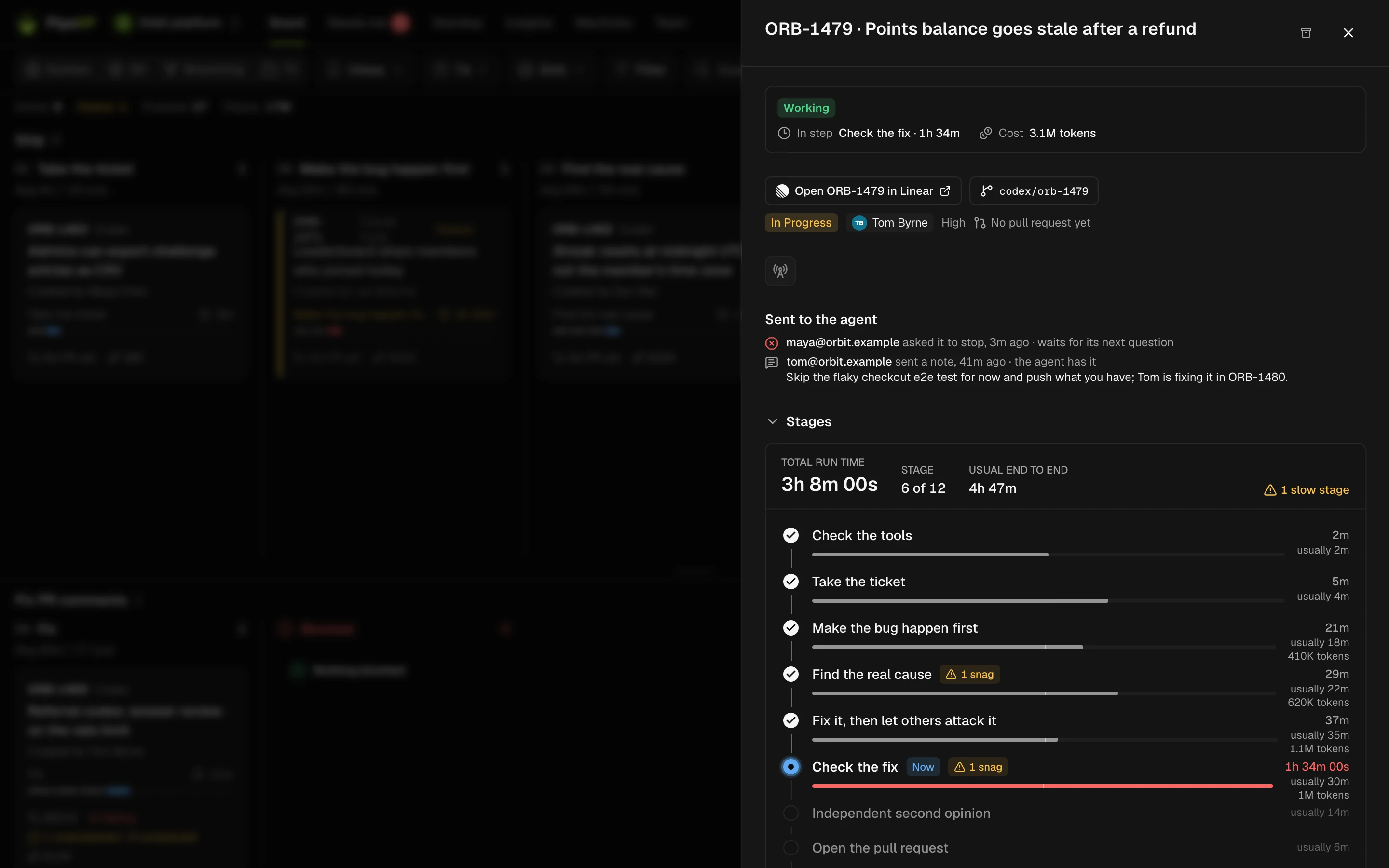
A live board of every agent run
- Each run sits in the lane for its step, from ticket to merged PR.
- Runs over twice the usual time for their step are marked slow.
- Stalled and blocked runs show the snag that stopped them.

What each run did and cost
- Agents, models, tokens and wall time for every run.
- A timeline of every step, with links to the ticket, branch and PR.
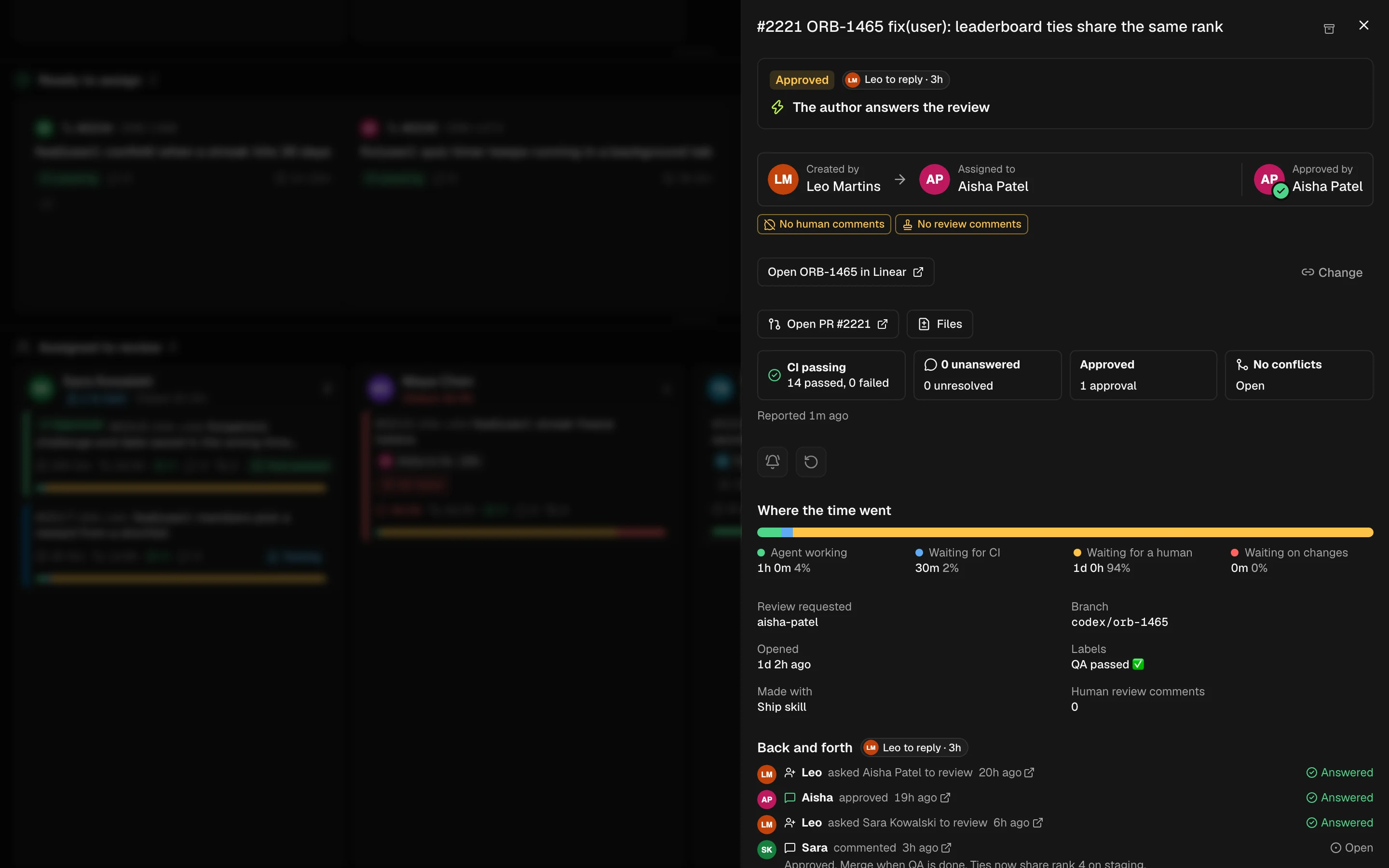
Whose turn on every PR
- Author, reviewer or agent: every PR says who acts next.
- CI, open threads, approvals and conflicts at a glance.
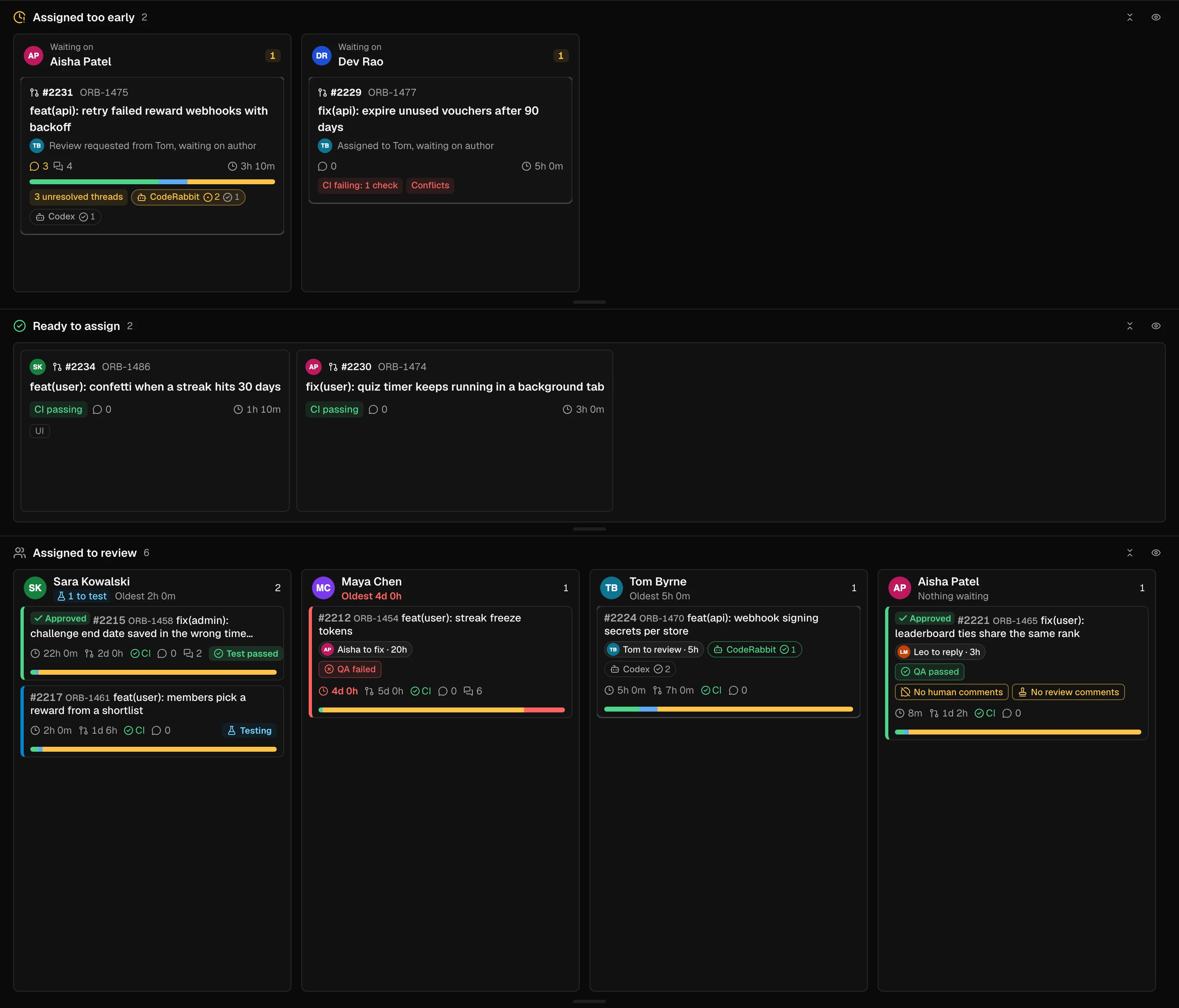
- Assigned too early: PRs handed to a reviewer before they are ready.
- Rubber-stamp and quick-approval flags.
A review queue that moves
- Green PRs ready to assign, approved first.
- Send a PR to the least busy tester and see pass or fail on the card.
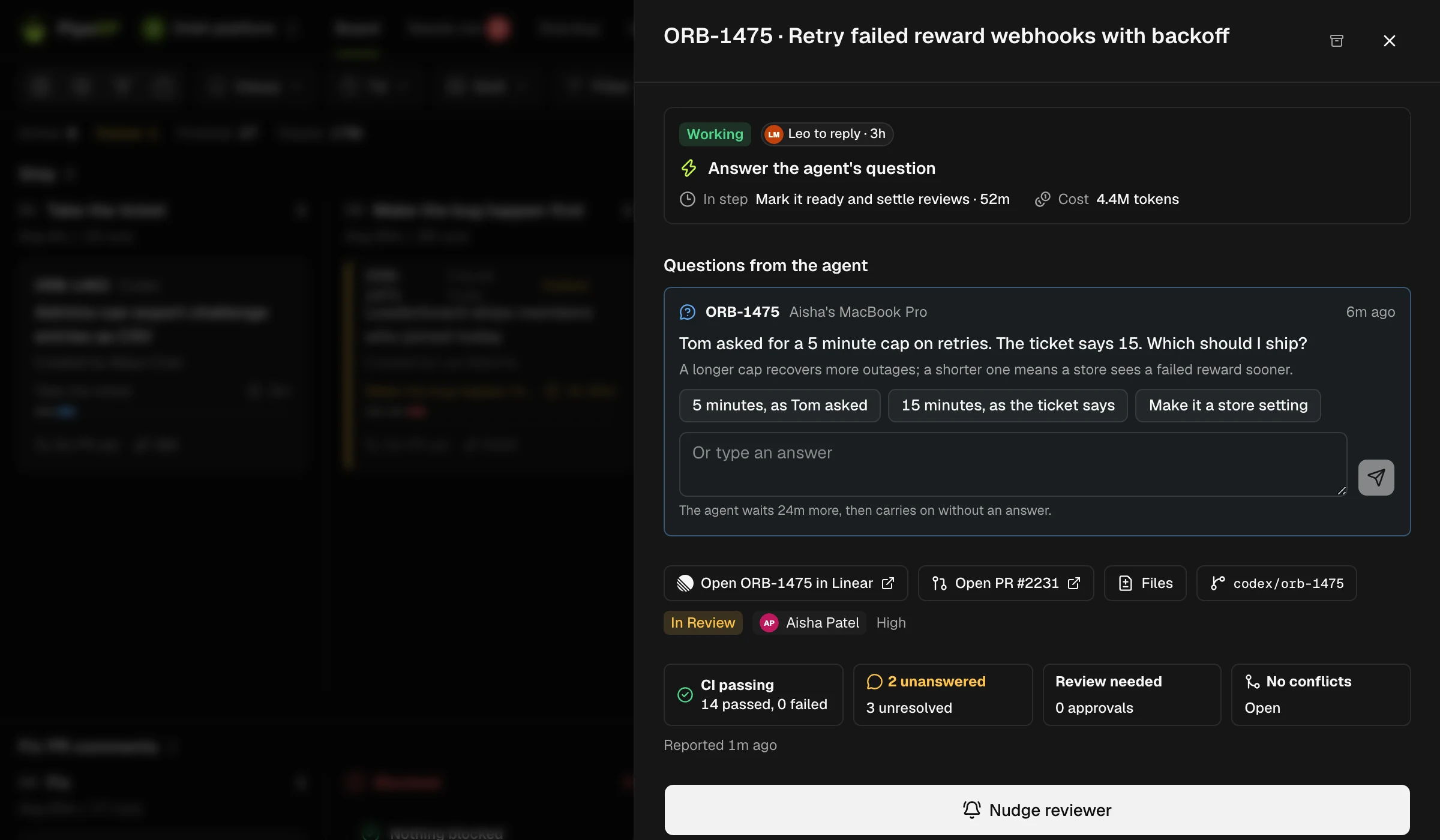
Answer agents from the board
- An agent's question lands on its card.
- Answer it there and the run carries on.
Needs me
- One inbox of what is waiting on you.
- Chat alerts in Teams or Slack, and an 08:30 Needs me summary.

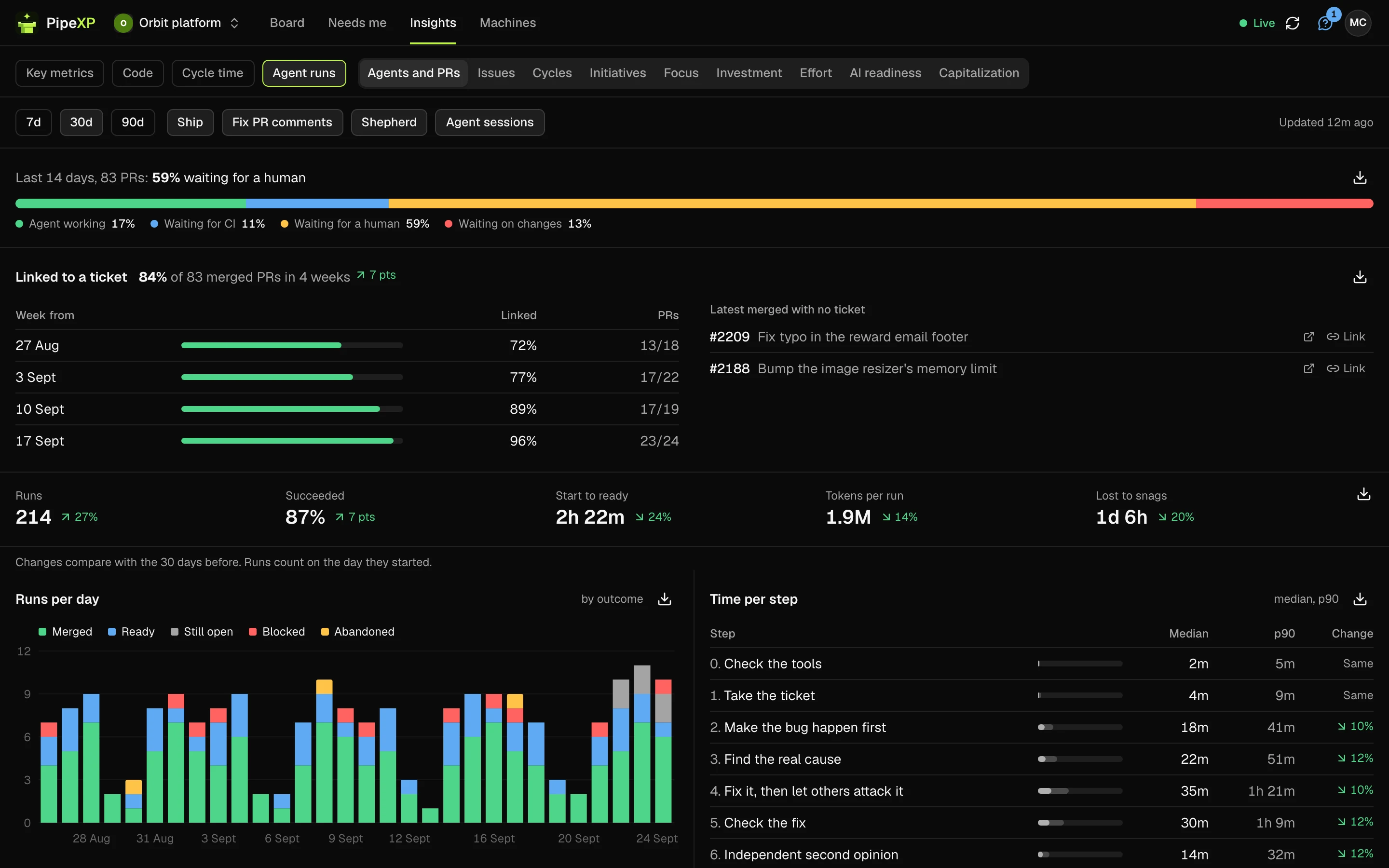
Where time goes
- Agent, CI, human and changes on every PR.
- Team totals over time, and cost per PR.
Main is red
- When a required check on main fails, a bar goes across the top of every page.
- It names the failing check and links to it.

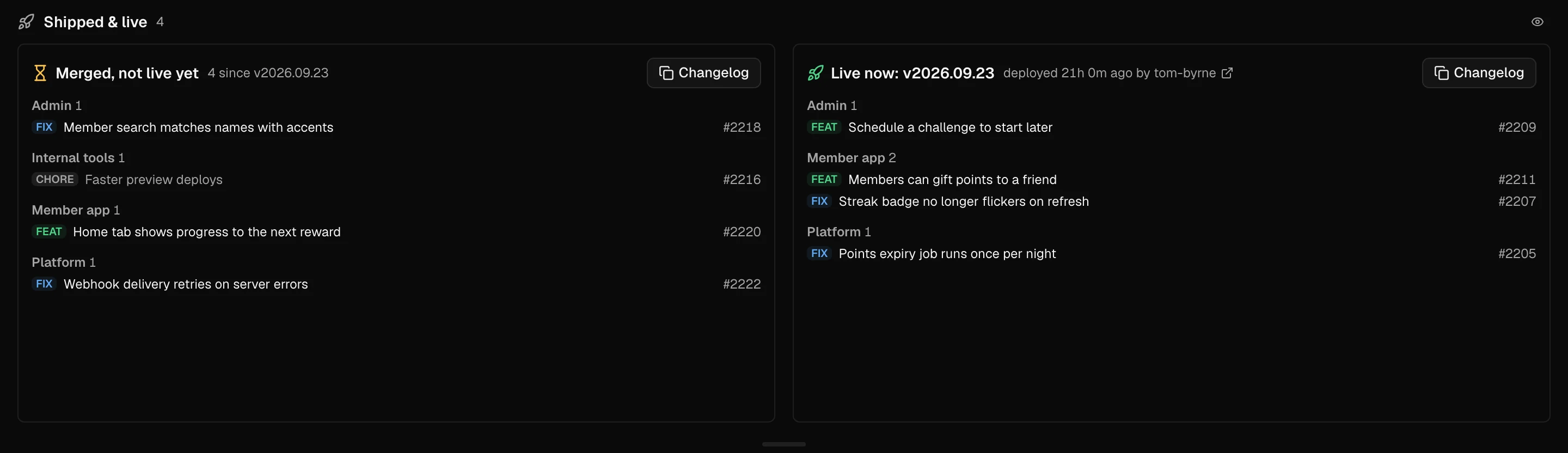
Shipped & live
- What merged since the last production deploy, and what is live.
- A changelog you can copy.
Team analytics, and XP soon
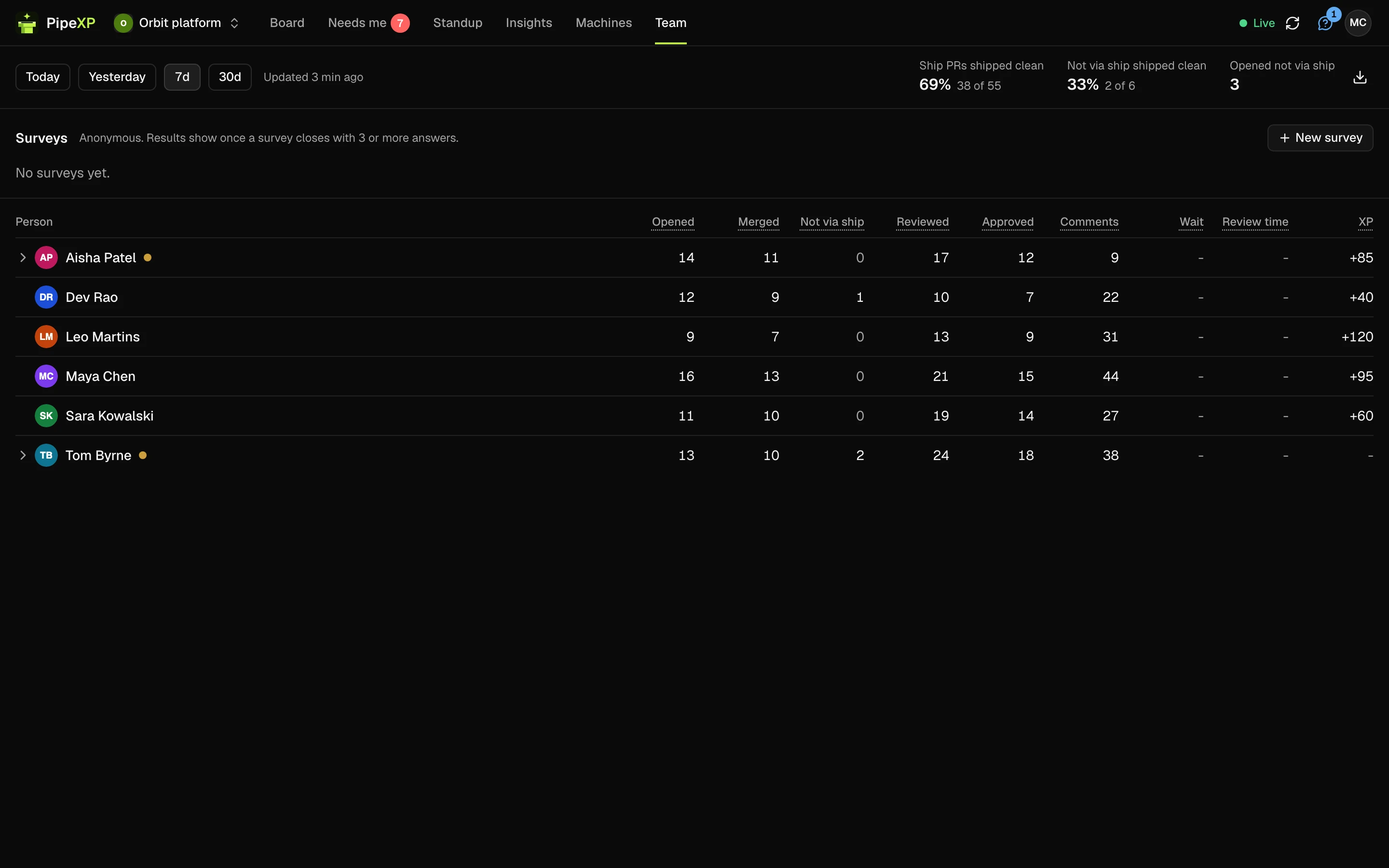
- A Team tab for managers: who opened, reviewed and approved, and quick approvals.
- Coming soon: XP that rewards good review habits. Never volume, and nobody is ranked by output.
Set up in minutes
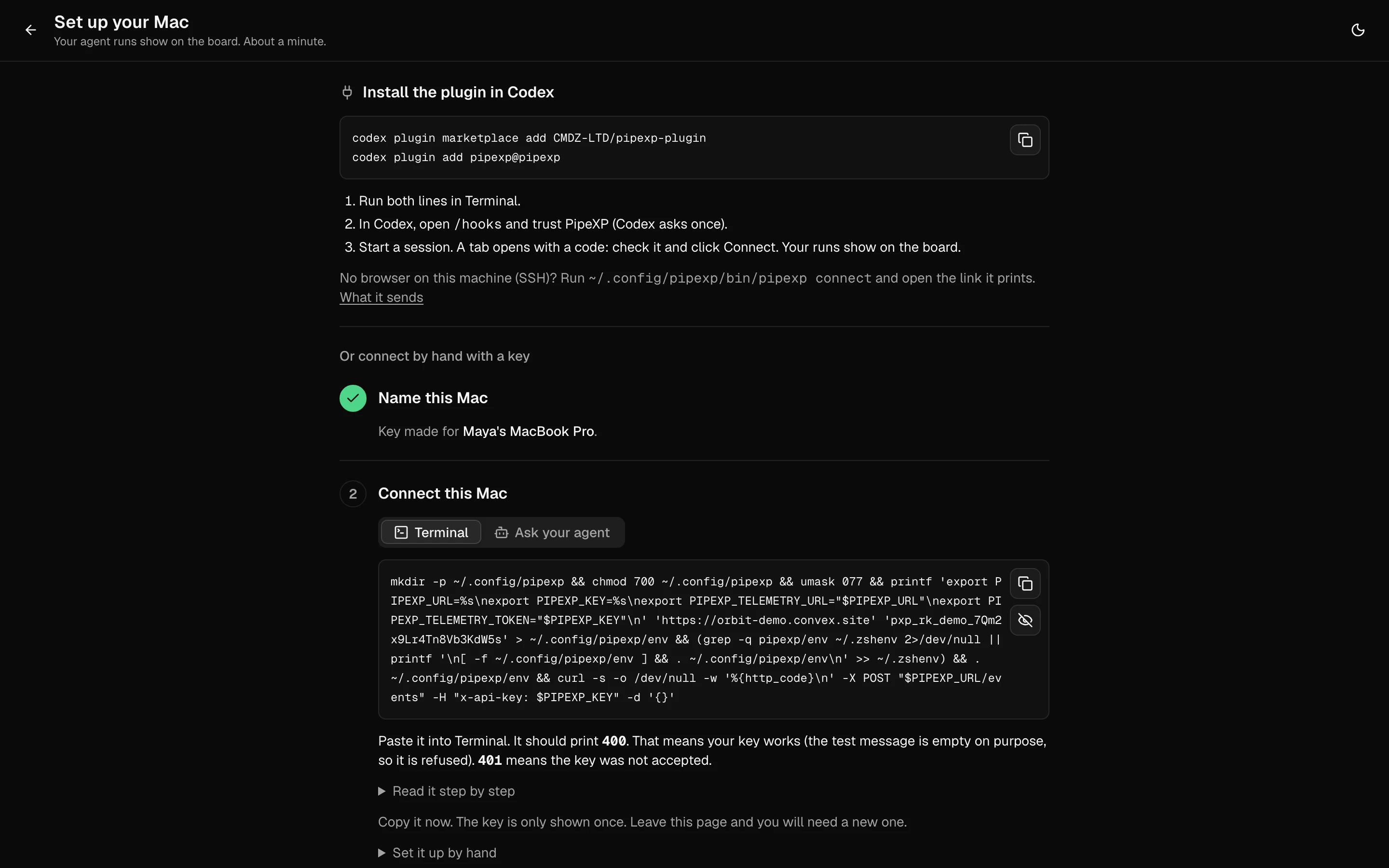
- Install the PipeXP Board GitHub App on your repos.
- Run the two install commands on each Mac, then approve it from its first session. No key to paste.
Try it on your repos.
Free for up to 3 contributors. Team free for 14 days, no card.
Already using another tool? Compare PipeXP with GitHub, CodeRabbit, Linear, Swarmia and Aviator.